

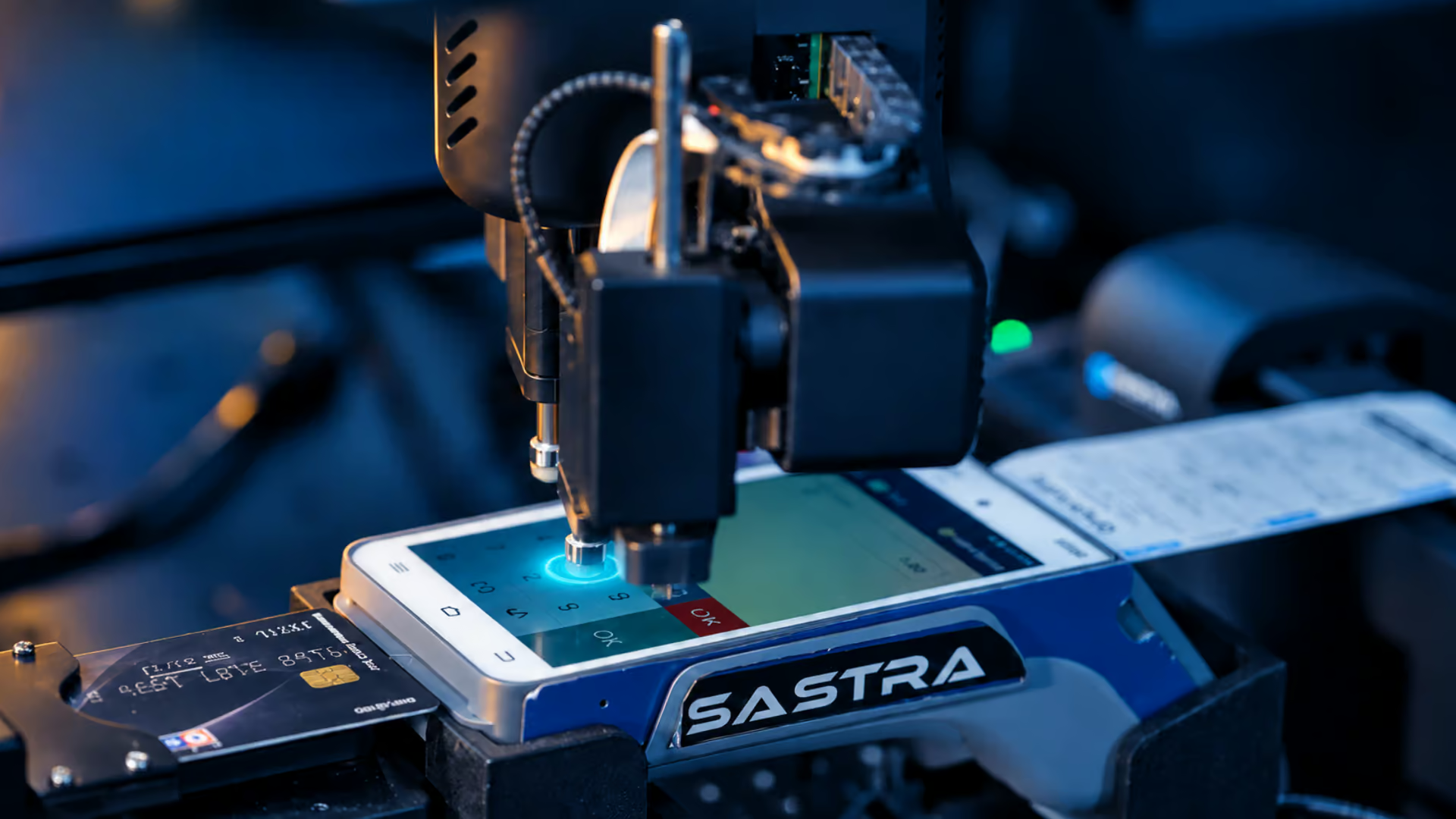
A software test can confirm that a button appears on screen, that an API returns the expected response or that an application follows the right sequence of steps. But what happens when the workflow depends on a physical button, a payment terminal, a card reader, a scanner or another connected device? In those situations, validating the software alone may not prove that the complete user journey works.
Physical device testing checks software-driven workflows that depend on interaction with real hardware. It brings the application and the device interaction into the same test scenario, helping QA teams examine what happens across the full workflow rather than only within the software interface.
Table of Contents
What Is Physical Device Testing?
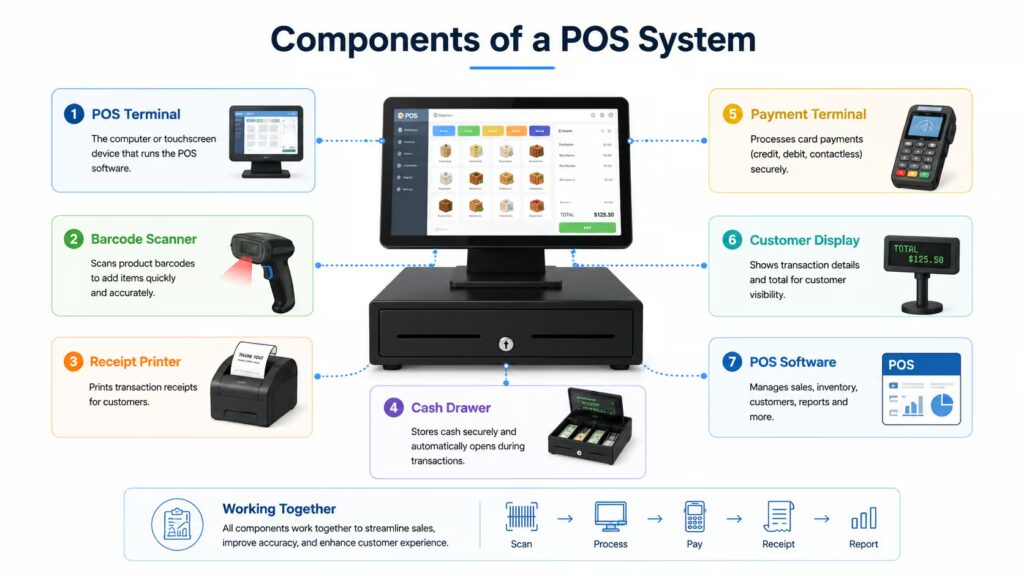
The core components of a Point-of-Sale (POS) system work together to process transactions, manage inventory, and deliver a seamless checkout experience.
Physical device testing is the validation of an application or system through interactions with actual hardware. Depending on the product and test scope, those interactions may include pressing a physical button, touching a display, entering information through a keypad, presenting a card, scanning a code or checking a printed output.
The important distinction is not simply whether a real device is present. It is whether the test validates the physical action and the software response together. A test may need to confirm that an action was registered, that the application responded correctly, and that the workflow reached the expected state.
Why Software-Only Automation May Not Be Enough
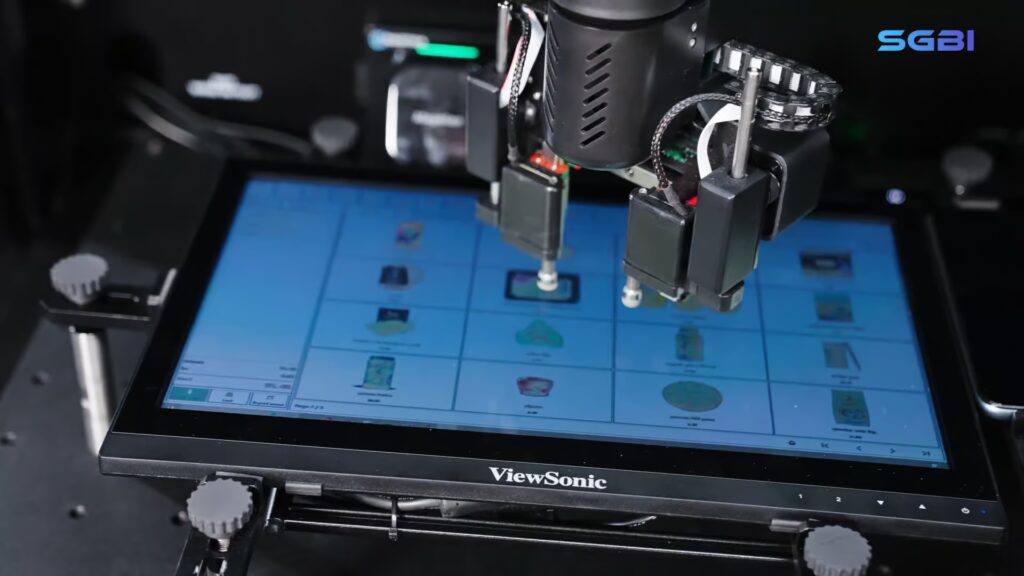
Software automation remains essential. Tools that interact with an application’s user interface, APIs or underlying services can execute repeatable checks quickly and are well suited to many functional and regression scenarios. However, a workflow can include dependencies that exist outside the software layer.
Frameworks such as Appium support automated testing across mobile and other application platforms, while Selenium WebDriver enables browser automation. However, testing a software interface does not necessarily validate every physical interaction with connected hardware.
For example, a retail payment journey may involve a POS application, a payment terminal, a card interaction and a receipt printer. A mobile workflow may depend on a physical key, a touchscreen gesture or a device-specific feature. If the test validates only the application state, it may not exercise every physical step that a user depends on.
Where Physical Interaction Enters the Test
The relevant interactions vary by industry and device. Common examples include:
- Buttons and controls: Pressing a physical button and checking the application or device response.
- Touchscreens: Performing supported taps, swipes or other gestures on a real display.
- Keypads: Entering values through a physical input surface and validating the resulting workflow.
- Cards and payment terminals: Testing supported insert, swipe or contactless interaction scenarios.
- Scanners: Presenting a barcode or QR code and checking how the connected application processes the input.
- Printed output: Capturing or reviewing a receipt or other physical output when that validation is part of the approved test scope.
Four Approaches to Testing Device-Dependent Software
Tools such as the Android Emulator allow teams to test applications in virtual device environments. Platforms such as Firebase Test Lab also provide access to physical and virtual devices for testing across different configurations.
Physical device testing is not a single replacement for every existing testing method. Teams should select the approach that matches the dependency they need to validate.
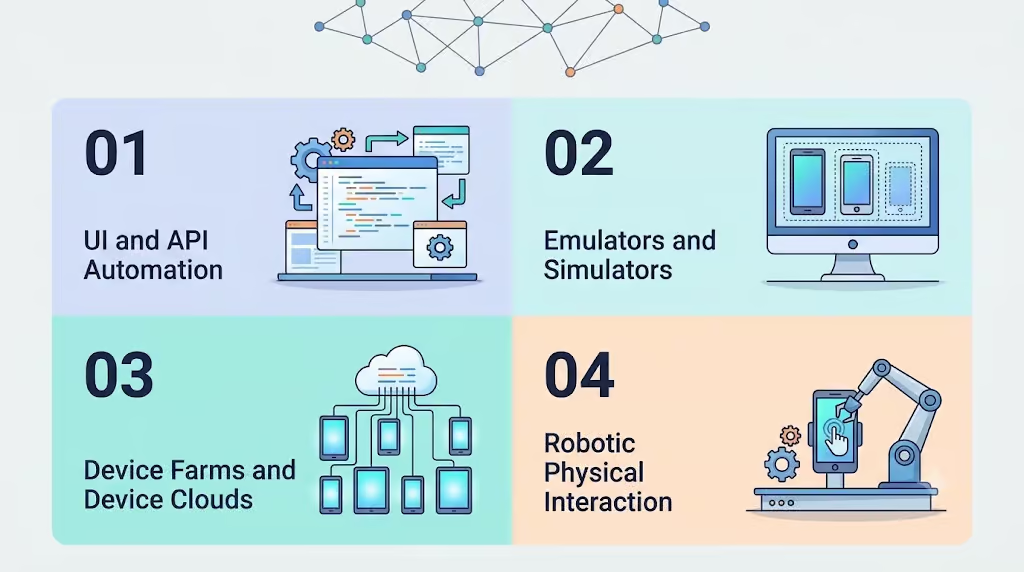
| Approach | What It Is Useful For | Important Consideration |
|---|---|---|
| UI and API automation | Validating application behaviour, interfaces, services and business logic. | It may not exercise a physical control or peripheral unless that interaction is separately supported. |
| Emulators and simulators | Testing many software states and configurations without always using physical hardware. | They may not reproduce every hardware-specific behaviour. |
| Device farms and device clouds | Accessing a range of real devices remotely for compatibility and application testing. | The available interaction model and physical peripherals depend on the platform. |
| Robotic physical interaction | Repeating supported physical actions on real devices as part of a test workflow. | The device, interaction, setup and operating conditions must be validated. |
How a Physical Device Test Workflow Works
A reliable workflow starts with a clear requirement and a defined expected result. The team should identify the device, application state, physical action, response and evidence needed to decide whether the test passed.
- Define the user journey. Describe the complete workflow and identify every step that depends on hardware.
- Identify the physical interaction. Specify the button, touchscreen action, keypad input, card interaction, scanner input or output that must be tested.
- Set the preconditions. Record the device state, application version, connectivity, test data and any required peripherals.
- Execute the workflow. Use the appropriate software automation, manual action or supported robotic interaction for each step.
- Validate the response. Compare the observed application and device behaviour with the expected result.
- Capture evidence. Retain logs, screenshots, recordings or output evidence where the test environment supports them.
- Review failures. Separate application defects from device, setup, connectivity, test-data or automation issues.
For more information, explore our POS Testing Automation approach.
Example: Testing a Payment Workflow
Consider a POS transaction that depends on a payment terminal. A complete test may need to verify that the POS application initiates the transaction, the terminal reaches the expected state, the required card interaction is performed, the application receives the appropriate response and the transaction reaches the expected outcome. If receipt validation is in scope, the printed output can be checked as a separate part of the workflow.
This is functional workflow validation. It should not be confused with formal payment product approval, scheme certification, security evaluation or EMVCo approval. Those processes have their own requirements and must be described accurately.
Where Robotic Test Automation Fits
Robotic test automation can help when a test repeatedly requires physical interaction with a device. A robotic system can perform supported actions in a controlled setup, while the wider test process manages application state, test data, expected results and evidence. The exact actions and operating conditions depend on the robot, device and approved configuration.
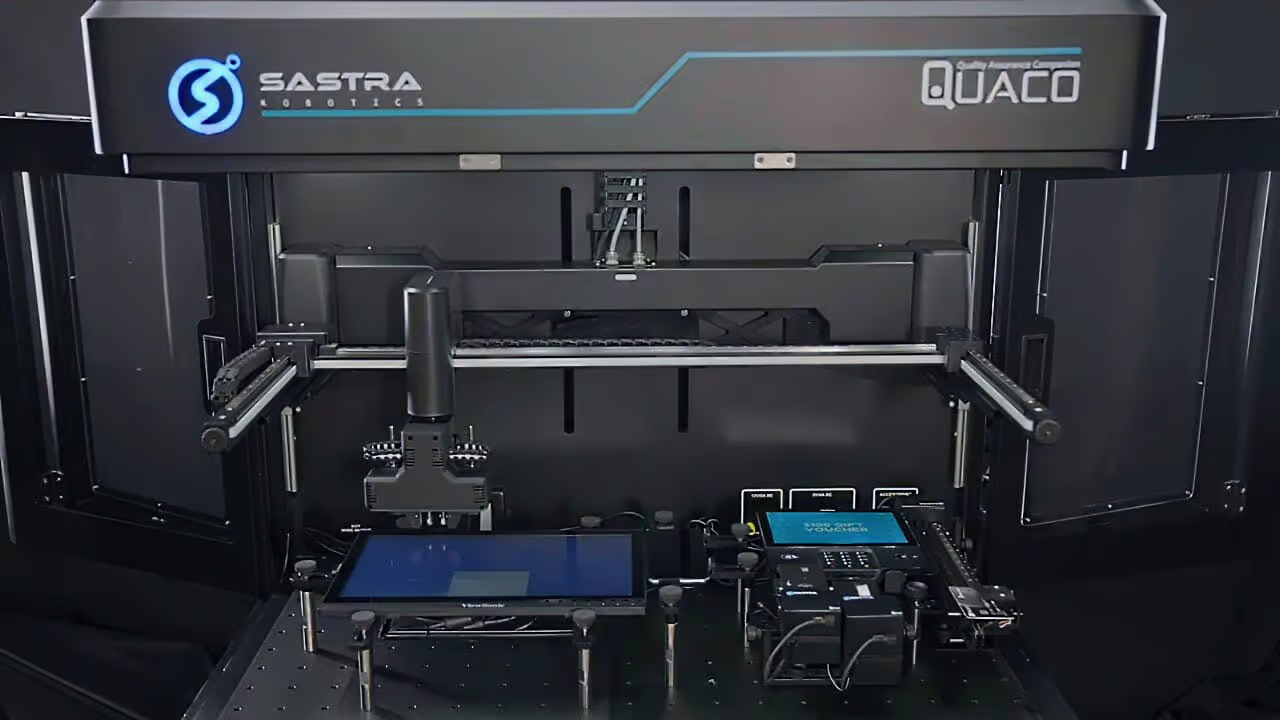
SGBI positions its QUACO ecosystem around enterprise physical AI for quality assurance. Quaco Robots are designed for test workflows involving physical devices, while Quaco AI Studio supports AI-assisted, no-code test creation using natural-language prompts to generate test steps. The appropriate role of each component should be described according to the current product documentation.
Explore the QUACO robotic testing platform and learn how Quaco AI Studio supports AI-assisted, no-code test creation for physical device testing workflows.
When Should a QA Team Consider Physical Device Testing?
Physical interaction testing is worth evaluating when a critical user journey depends on a real-world action that cannot be adequately represented by the software test alone.
- A workflow relies on a physical control, peripheral or device-specific feature.
- A test must validate the relationship between a physical action and an application response.
- The same device interaction needs to be repeated across regression cycles.
- Manual execution is difficult to standardise or reproduce consistently.
- The organisation needs evidence from the actual device workflow, not only from the application layer.
Planning Considerations Before Implementation
Start with a narrow, high-value workflow rather than attempting to automate every device at once. Confirm the supported device models, physical interaction types, fixture requirements, operating conditions, recovery process and evidence-capture method. Define what constitutes a pass or failure before execution begins.
Also decide which parts remain in existing automation tools. UI, API, service-level and device-cloud testing can continue to provide value. Physical interaction automation should be introduced where it addresses a genuine gap in the end-to-end test.
Conclusion
As applications become more dependent on connected devices and physical user actions, QA teams need a way to validate more than the screen. Physical device testing extends the test boundary to the real interactions that complete a workflow. The strongest approach combines software-level checks with the right physical validation method, supported by clear requirements, repeatable setup and reliable evidence.